
The Role of vManage in Cisco Viptela SD-WAN
vManage is the centralized management system in Cisco Viptela SD-WAN, acting as the command center for the entire SD-WAN fabric. It simplifies the deployment, configuration, monitoring, and troubleshooting of the network, making it a critical component for modern, software-defined networking.
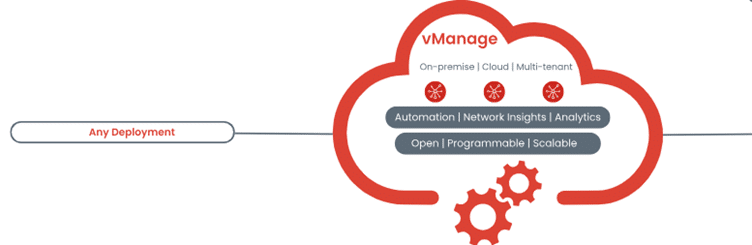
Key Functions of vManage
- Centralized Network Management
- Purpose: Provides a single pane of glass to manage all SD-WAN devices and services.
- Capabilities:
- Configure policies and push them to all edge devices.
- Manage updates and configurations for vEdge routers, vSmart controllers, and vBond orchestrators.
- Centralize network-wide changes for consistency and efficiency.
2. Device Onboarding and Configuration
- Zero-Touch Provisioning (ZTP): Automates the process of onboarding devices into the SD-WAN fabric.
- Process:
- When a device is powered on and connected to the network, it contacts vManage for initial configuration.
- Configuration templates are applied automatically, ensuring consistency and minimizing manual errors.
- Benefits:
- Speeds up deployment across multiple sites.
- Reduces operational overhead and simplifies setup for non-technical personnel.
3. Real-Time Monitoring and Analytics
- Monitoring Capabilities:
- Tracks performance metrics such as bandwidth utilization, latency, jitter, and packet loss.
- Monitors device health, tunnel status, and application performance.
- Analytics:
- Provides actionable insights into network behavior through detailed dashboards.
- Generates alerts and notifications for critical issues like device failures or connectivity problems.
- Benefits:
- Improves visibility into network performance.
- Facilitates proactive troubleshooting and performance optimization.
4. Policy Configuration and Management
- Role in Policy Enforcement:
- Defines and enforces policies for routing, Quality of Service (QoS), security, and application traffic.
- Types of Policies:
- Data Policies: Control how traffic flows between sites.
- Control Policies: Dictate routing decisions and path preferences.
- Security Policies: Manage segmentation, encryption, and firewall rules.
- Benefits:
- Ensures consistent policy enforcement across all devices.
- Simplifies the application of business requirements to the network.
5. Software Updates and Maintenance
- Simplifies Updates:
- Provides an interface to schedule and push software updates to all SD-WAN devices.
- Ensures devices run the latest software versions with security patches and new features.
- Automation:
- Reduces downtime with scheduled updates.
- Minimizes human error during the update process.
6. Troubleshooting and Diagnostics
- Built-In Tools:
- Offers diagnostic tools to identify and resolve issues quickly.
- Allows administrators to view logs, perform packet captures, and run connectivity tests.
- Benefits:
- Reduces Mean Time to Repair (MTTR) during outages or performance degradation.
- Enhances operational efficiency with guided troubleshooting.
7. Scalability and Multi-Tenant Support
- Scalable Architecture:
- Supports thousands of devices and locations, making it suitable for large enterprises.
- Multi-Tenant Management:
- Enables service providers to manage multiple customer networks from a single vManage instance.
- Benefits:
- Provides flexibility for enterprises and managed service providers (MSPs).
- Easily accommodates growing network demands.
7. Scalability and Multi-Tenant Support
- Scalable Architecture:
- Supports thousands of devices and locations, making it suitable for large enterprises.
- Multi-Tenant Management:
- Enables service providers to manage multiple customer networks from a single vManage instance.
- Benefits:
- Provides flexibility for enterprises and managed service providers (MSPs).
- Easily accommodates growing network demands.
vManage Interface Features
1. Dashboard
- Displays a high-level overview of the network, including device status, tunnel health, and application performance.
- Provides quick access to alerts and critical metrics.
2. Configuration Templates
- Allows administrators to create and apply templates for consistent device configurations.
- Simplifies the management of complex, multi-site deployments.
3. Reports and Logs
- Offers detailed reports on network performance and usage trends.
- Maintains logs for auditing and troubleshooting purposes.
4. Security Monitoring
- Tracks security events, such as unauthorized access attempts and VPN status.
- Integrates with Cisco Umbrella for enhanced threat detection and prevention.
Benefits of vManage in Cisco Viptela SD-WAN
- Simplified Operations:
-
- Centralizes management tasks, reducing the need for manual configuration.
2. Enhanced Visibility:
-
- Real-time monitoring and analytics provide complete transparency into network performance.
3. Faster Deployment:
-
- Automates device onboarding and configuration, saving time and resources.
4. Improved Scalability:
-
- Easily supports large-scale deployments with thousands of devices.
5. Better Security:
-
- Facilitates centralized policy enforcement and integrates with advanced security tools.
6. Proactive Troubleshooting:
-
- Diagnoses and resolves issues quickly with built-in tools and alerts.
Real-World Example
A global retail company with 1,000 branches leverages vManage to:
- Deploy new stores quickly with Zero-Touch Provisioning.
- Monitor application performance to ensure smooth POS transactions and inventory updates.
- Enforce consistent security policies across all sites.
Troubleshoot network issues remotely, minimizing downtime.
vManage is the cornerstone of Cisco Viptela SD-WAN, offering centralized control, automation, and visibility for complex, distributed networks. It empowers businesses to deploy, manage, and optimize their SD-WAN infrastructure efficiently while maintaining high performance, robust security, and scalability. Whether managing a small enterprise network or a global WAN, vManage simplifies operations and enhances overall network reliability.
Leave a Reply